
groovs
Groovs are the foundation of your groovmint system. They're the containers that organise your life into meaningful areas of focus - think of them as the chapters of your life that everything else sits inside.
All groovmint data, including your Groovs, lives in the groovmint/HUB page - see The HUB for a full guide on how this works.
What is a groov?
A Groov is a named area of focus. It might be a project, a life domain, a goal, or anything you want to be intentional about. For example, you might have Groovs for "Work", "Fitness", "Learning Spanish", or "Home Renovations".
Every task, habit, and learning you create in groovmint should be linked to a Groov. This connection is what allows groovmint to calculate your Momentum Score - a measure of how consistently active you're being in each area of your life. If you create a task, habit, or learning without linking it to a Groov, it won't contribute to your momentum, so it's always worth taking a moment to make that connection.
Every time you complete a task, log a habit, or record a learning, groovmint automatically recalculates that Groov's Momentum Score and updates your dashboard charts in real time.
You don't need many Groovs to get started. Even two or three Groovs that reflect what matters most to you right now is plenty. You can always add more later.
Creating a new groov
To create a new Groov, click the New Groov button. You'll find it above the Groov component, or in the Quick Access menu at the top of the dashboard.
Setting up your groov
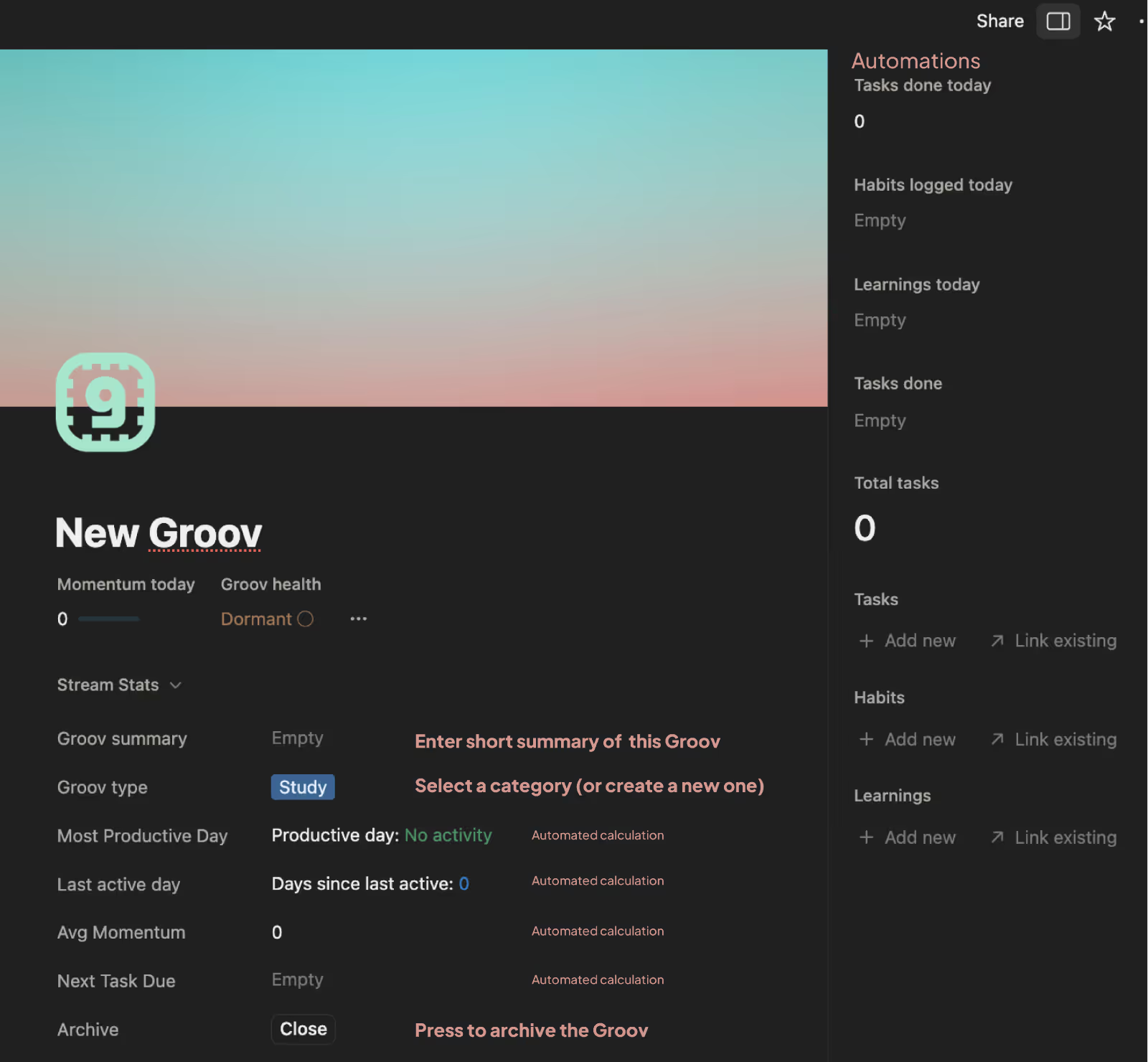
When you open a new Groov, there are a few things you'll want to fill in yourself. Everything else is calculated automatically by groovmint.
What you'll fill in
Groov name
Give your Groov a name that means something to you. It can be as straightforward or as personal as you like - there are no rules here.
Groov summary
(optional) A short description of what this Groov is about. Useful if you have several similar Groovs or want a reminder of the intent behind it.
Groov type
(optional) Assign a category to your Groov - for example, Work, Health & Fitness, Personal, Creative, or Community. This helps you filter and group your Groovs on the dashboard.
Archive
When a Groov is no longer active - either because you've completed it or it's simply no longer relevant - click Close to archive it. Archived Groovs are removed from your active dashboard view and your charts so they don't clutter your focus. Don't worry, nothing is deleted - you can always find archived Groovs later in the HUB.
To un-archive a Groov, simply press the Close button again and it will be restored to your active view.
What groovmint calculates for you
Everything else on the Groov page is handled automatically - you don't need to touch any of it. This includes:
Momentum today
Your score for the current day
Groov health
A status that reflects how consistently active your Groov has been
Productive day
The day of the week when you historically do the most in this Groov
Last active day
The last time you logged any activity
Days since last active
A counter that keeps you gently informed
Average Momentum
Your average daily momentum score over time
Next task due
Pulled automatically from your linked tasks
Adding Tasks, Habits and Learnings to a groov
The best way to add activities to a Groov is to use the New Task, New Habit, or New Learning buttons on the dashboard or in the Quick Access menu at the top of the dashboard, and then select your Groov in the properties when the page opens.
You can also link existing items from within a Groov page itself. Open the Groov, click the three dots ••• to the right of Groov Health to reveal the Details panel - from there, you can either:
⇨ Click Link existing to connect a task, habit, or learning you've already created, or
⇨ Click + Add new to create a brand new one directly from the Groov
Groovs display
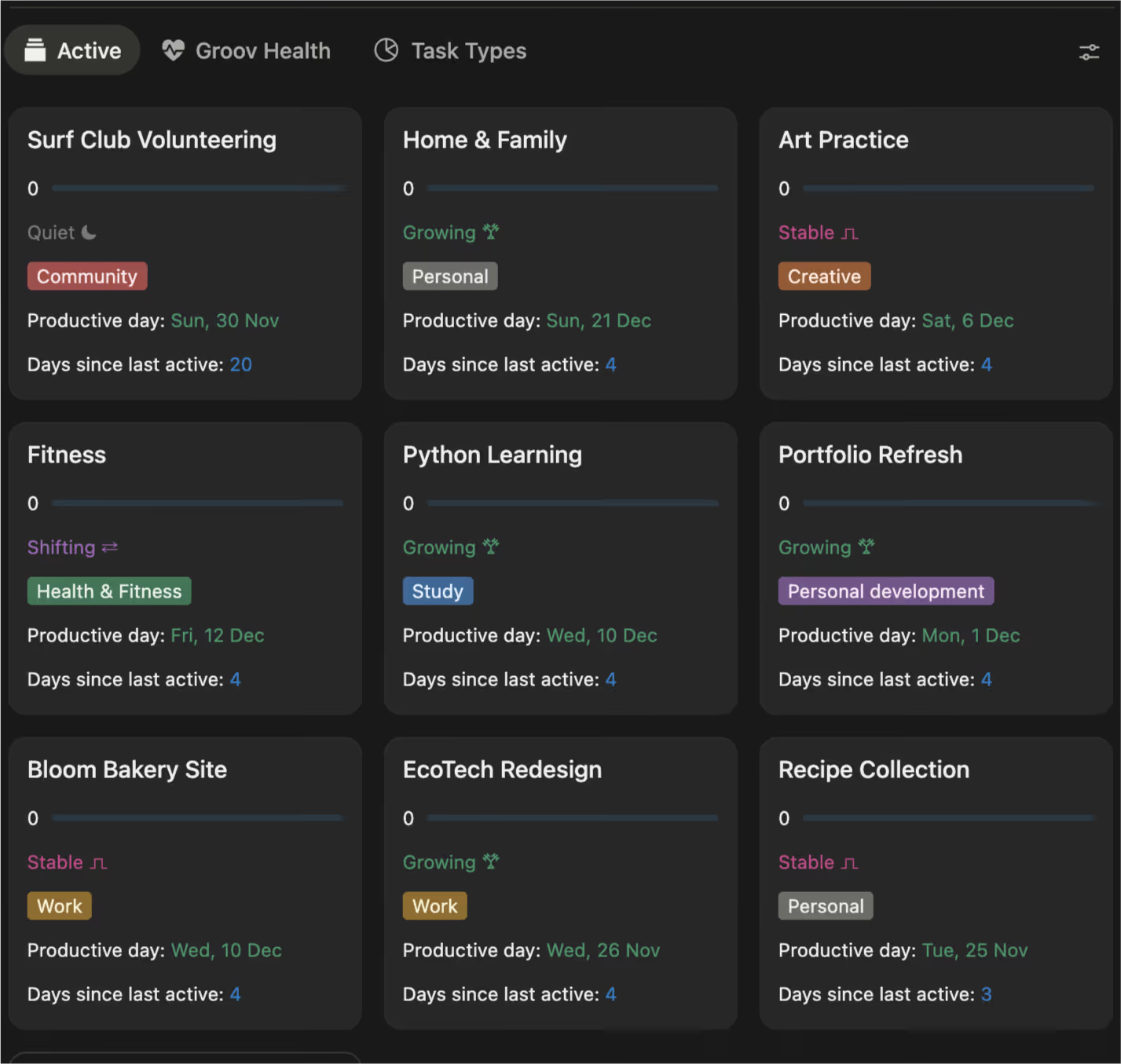
Your active groovs appear as cards on your dashboard, giving you an at-a-glance picture of how each area of your life is tracking. Each card shows:
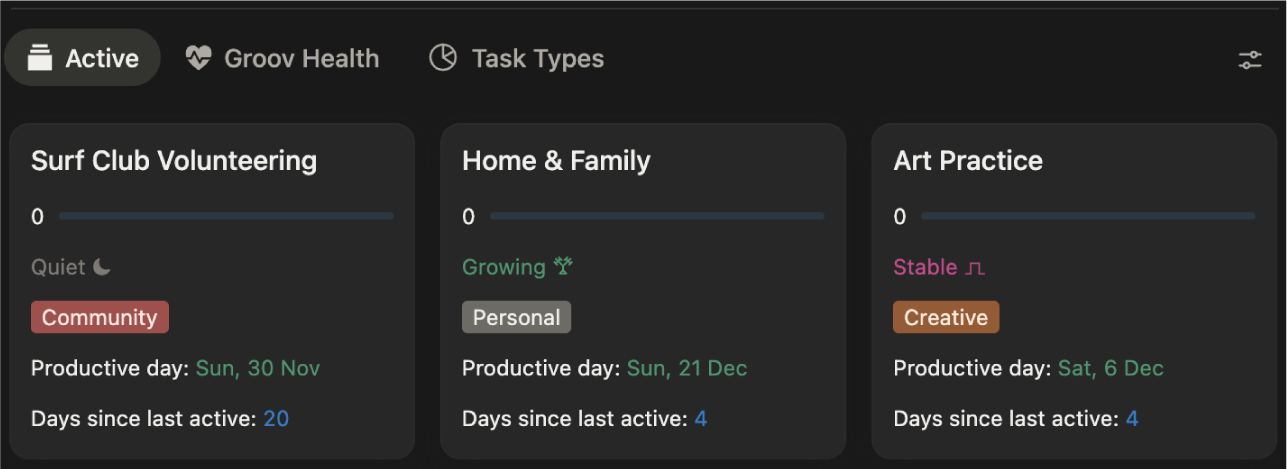
Momentum bar
A visual representation of how much momentum you've built today
Groov health
A status message that tells you how engaged you've been recently
Groov type
The category badge you assigned (e.g. Work, Personal, Creative)
Productive day
The day of the week you're historically most active in this Groov
Days since last active
How many days it's been since you last logged something
Health statuses
Groov health is groovmint's way of letting you know how things are going in each area of your life. It updates automatically based on your activity.
Status
What it means
Active holiday ⛵︎
You're on a holiday period but still choosing to log activity in this Groov
Resting ⛺︎
You're on a holiday period and taking a well-deserved break
Starting ༄
No activity has been logged in this Groov yet - you're at the very start
Growing 𐂷
You're building strong, consistent momentum - things are moving in a positive direction
Shifting ⇄
Activity is still present but not quite keeping pace with your recent average - a neutral holding pattern
Stable ⎍
You're maintaining a solid rhythm - steady and consistent
Quiet ☾
Activity has slowed down - life gets busy, and that's OK
Dormant ◯
This Groov hasn't seen any activity for a while
View your groov
At the top of the Groov section, you'll see three view options. Each gives you a different perspective on your Groovs.
Active
The default view. Shows all your active Groovs as cards, giving you the at-a-glance snapshot of momentum, health, productive day, and days since active.
Groov health
Switches to a horizontal bar chart showing all your Groovs ranked by their health status. Each Groov appears as a bar, colour-coded by health state - for example, amber for Growing, blue for Dormant. This view is great for getting a quick read on which Groovs need a bit of love and which are flying.

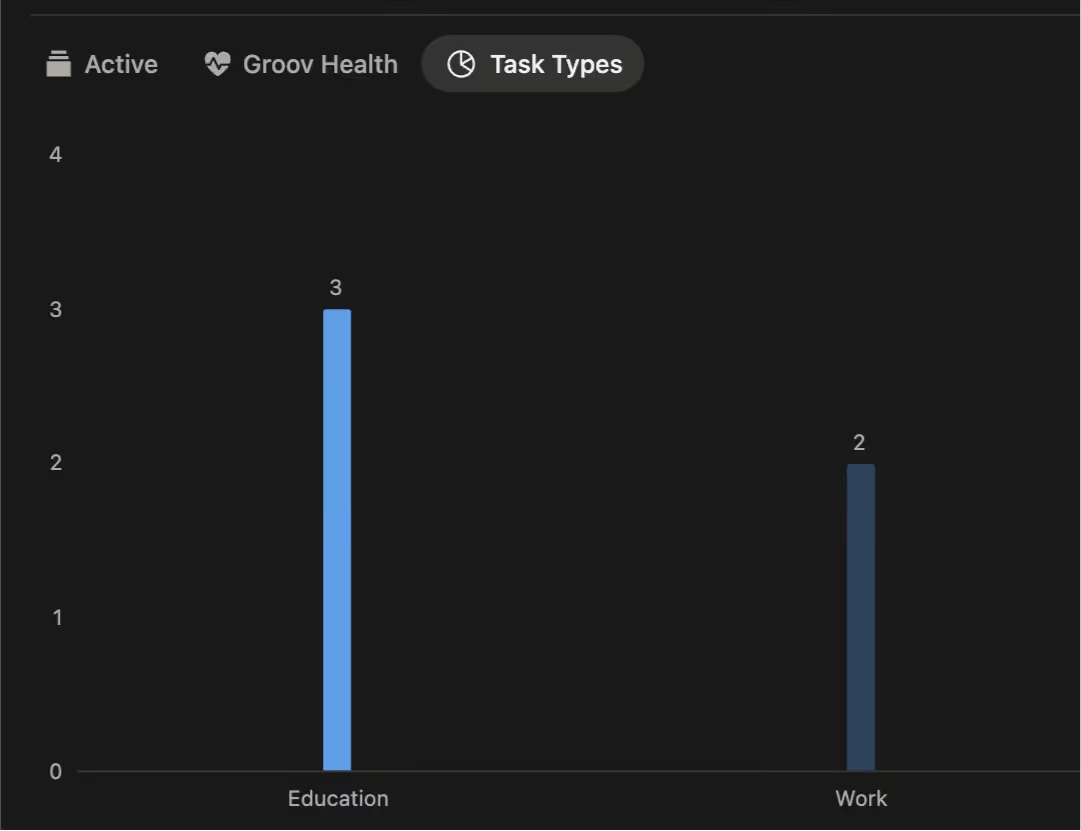
Task types
Shows a vertical bar chart of how many Groovs you have per Category (Groov type). So if you have three Groovs tagged as Education and two tagged as Work, you'll see exactly that. It's a handy way to see whether your focus is balanced across the areas of your life, or whether things are skewed in one direction.
Get the most from groovs
- Start small. You don't need to map out your entire life on day one. Start with the two or three areas that matter most right now.
- Link everything. The more consistently you link your tasks, habits, and learnings to a Groov, the more accurate and useful the dashboard becomes.
- Don't delete - archive. If a Groov has run its course, archive it rather than delete it. Your history and momentum data will stay intact, and you can look back on what you've achieved.
A note on Quiet and Dormant Groovs
If a Groov goes quiet because you're recovering, regrouping, holidaying, relaxing, or simply focusing elsewhere, that's completely fine - groovmint doesn't punish you for it in its scoring system. When you're ready to pick it back up, it'll be right there waiting.